
Early access · Godot 4.7.1 and newer
Your coding agent, inside the Godot editor.
Godopilot turns the Godot editor into an MCP server. Your coding agent reads and edits the live scene tree, writes GDScript and C#, reads editor errors and playtests your game. Every change waits for your approval in the editor, and editor undo works on all of it. It also has its own chat panel for a local model or your own API key.
Windows, macOS and Linux
- Claude Code
- Codex
- Gemini CLI
- Any MCP client
- LM Studio & local models
What it does
Built around how Godot developers actually work.
Works with your coding agent
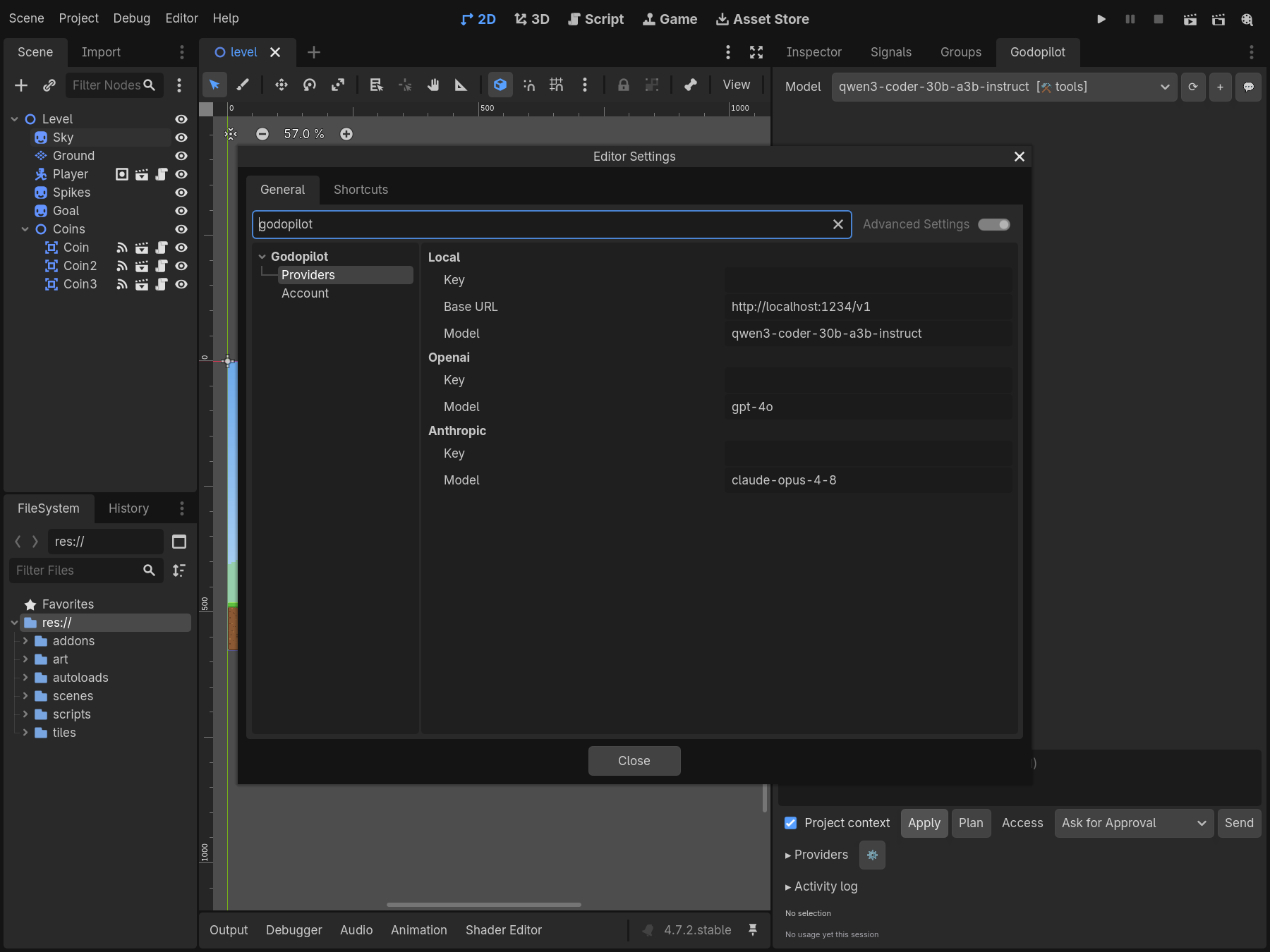
Claude Code and Codex connect with a setup command you copy from the panel. Gemini CLI and any other MCP client connect with the address and token. Or chat in the editor panel with a local model or your own OpenAI or Anthropic key.
You stay in control
Every change goes through approval in the editor, whether it comes from your coding agent or the panel. File access stays inside res://, and editor undo works on everything Godopilot does.
Understands your project
Reads your scene tree, selection, project settings, files, the Godot API docs, editor errors and console output, so answers start from your game, not a guess.
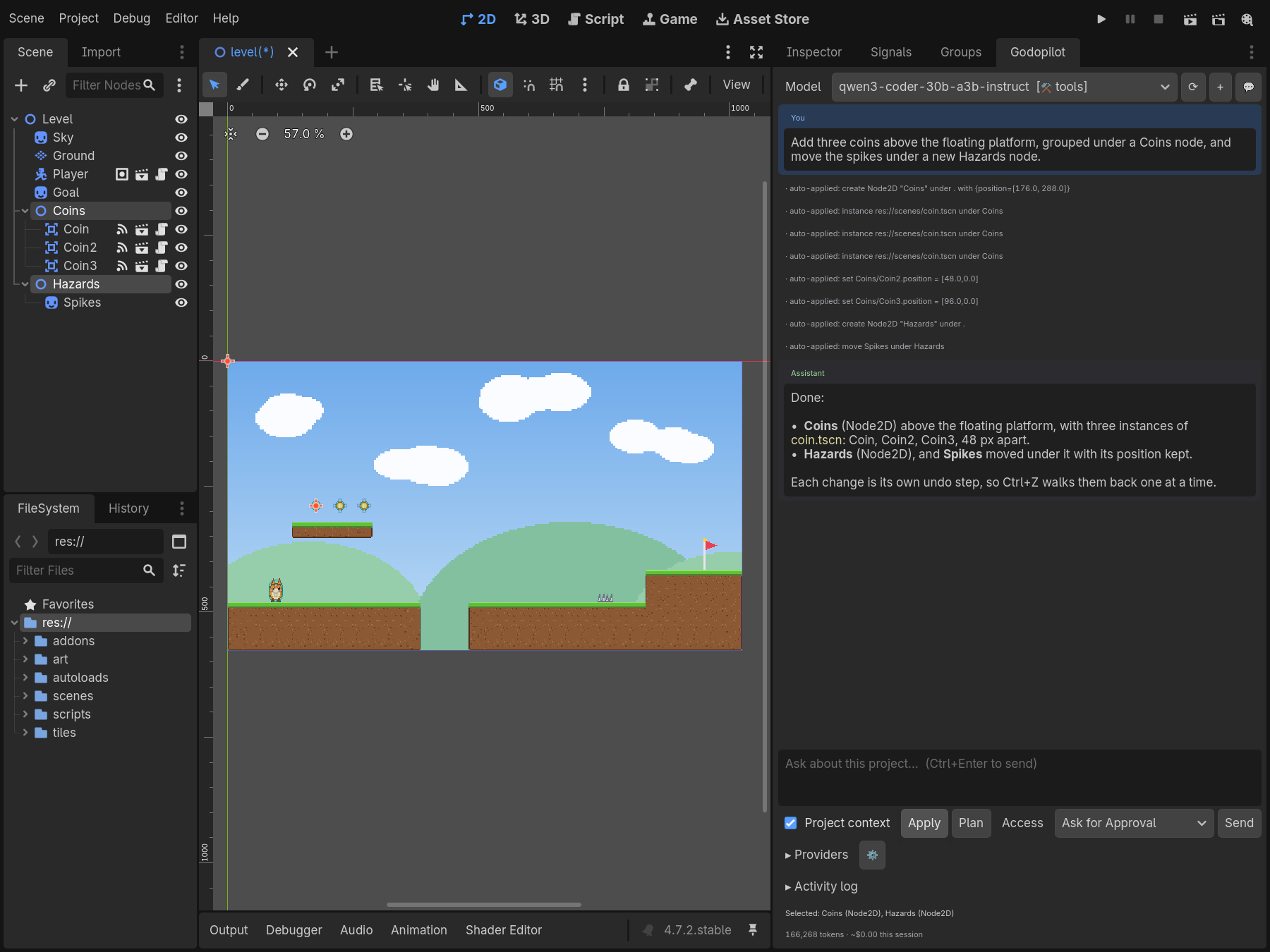
Edits scenes and resources
Creates, renames, reparents and configures nodes, connects signals, instances scenes, attaches scripts and paints TileMapLayer terrain.
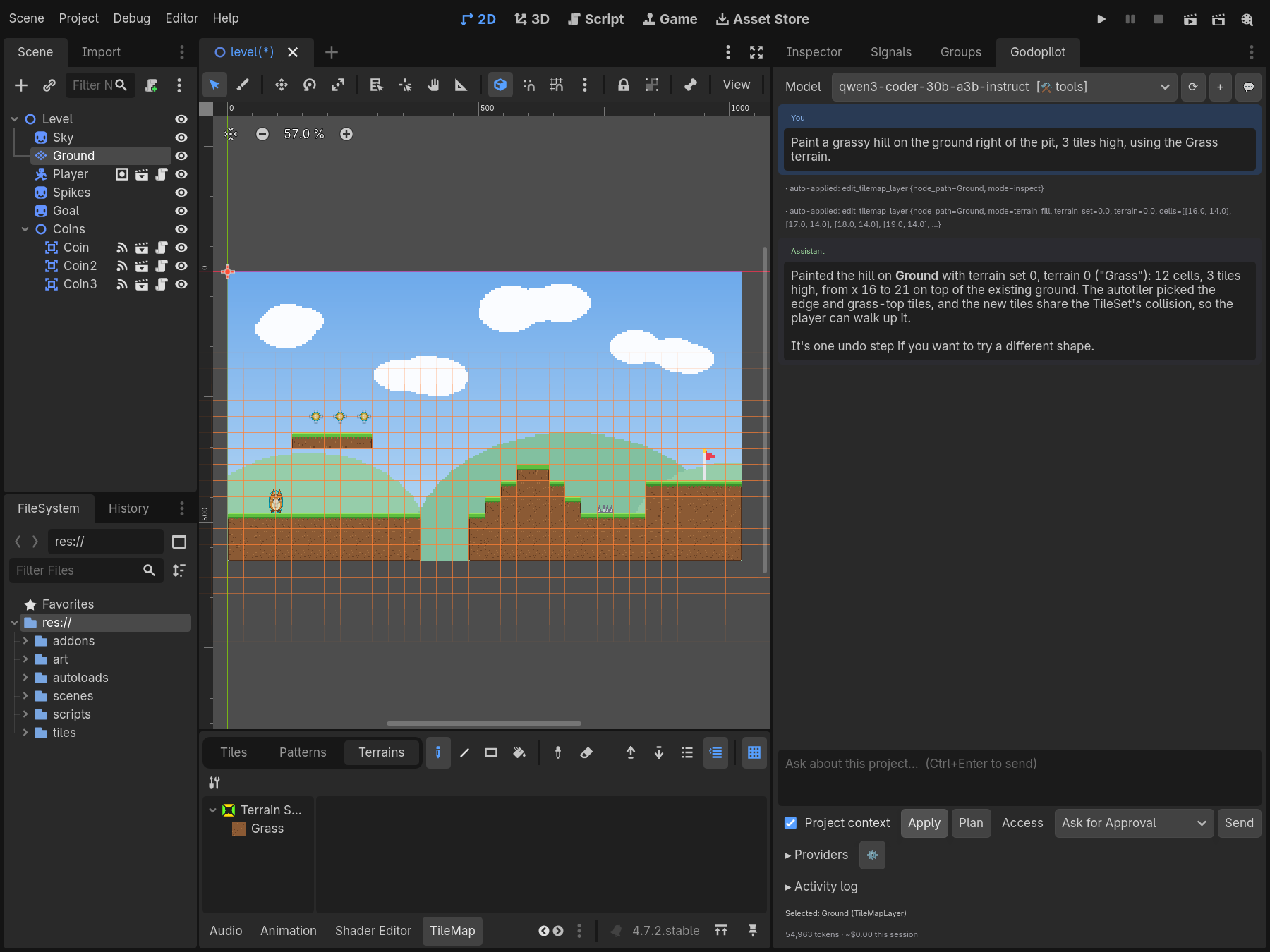
Writes and fixes code
GDScript, plus C# with real compiler diagnostics when you open the project in Godot’s .NET editor.
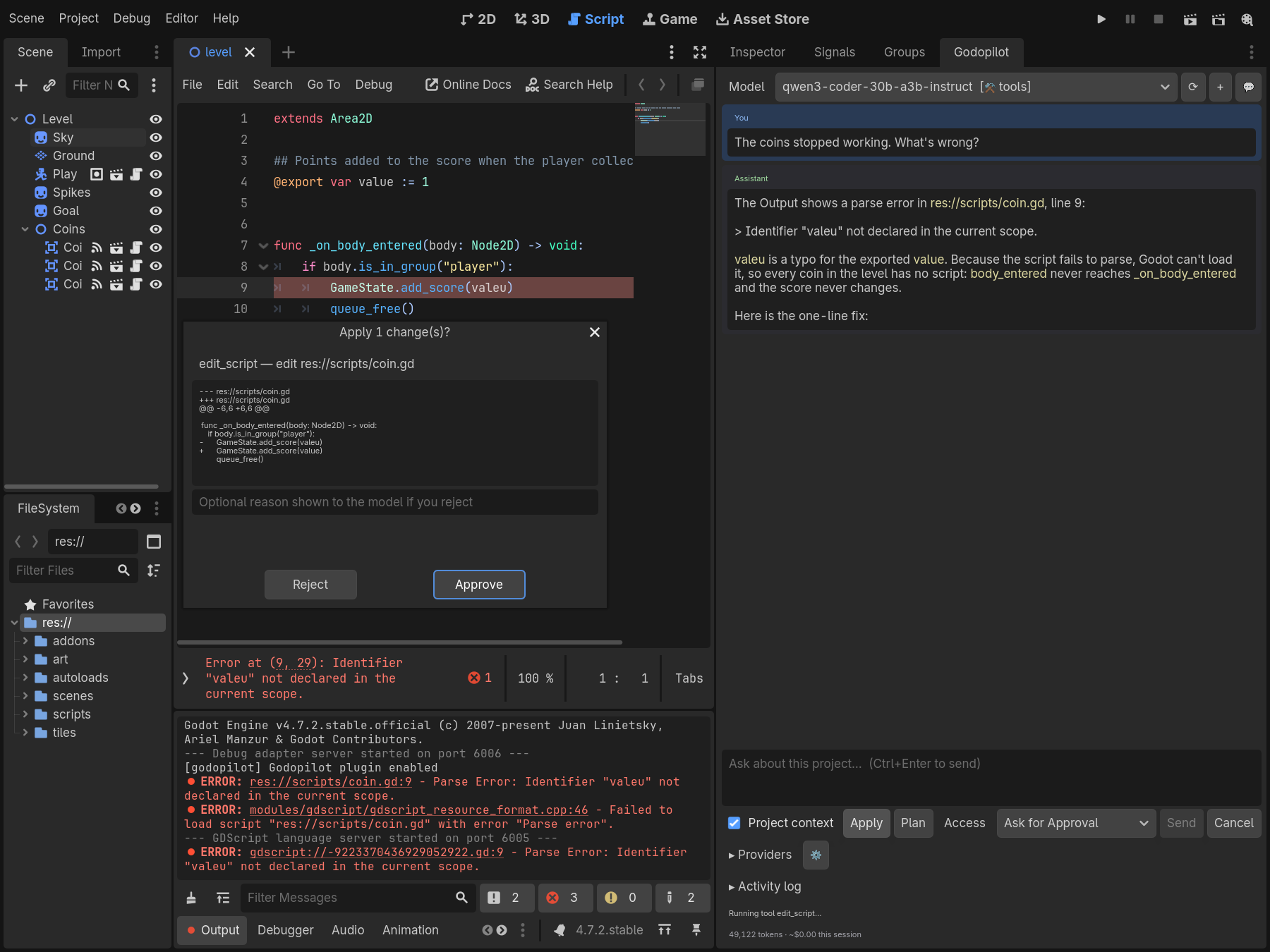
Plays and checks your game
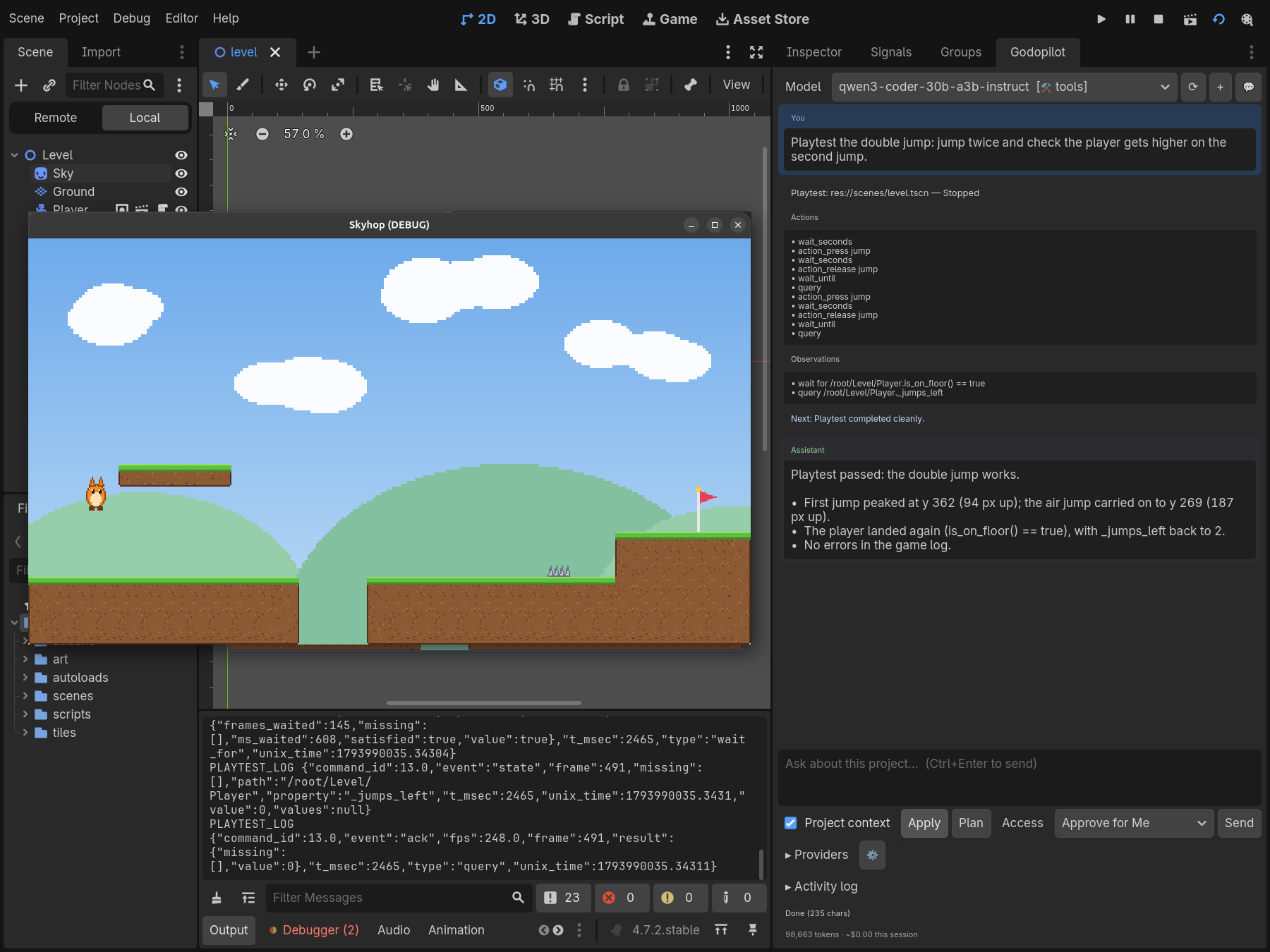
Runs scenes and gdUnit4 tests, and drives scripted playtests that send input and check state, then reports what happened.
Makes 2D assets
Generates sprites and UI textures through your image provider, saved where you choose inside the project.
Multiplayer helpers
Hosts and joins local ENet sessions, watches peers connect, and sets node authority without hand-written RPC boilerplate.
How it works
Plan. Approve. Apply.
Plan
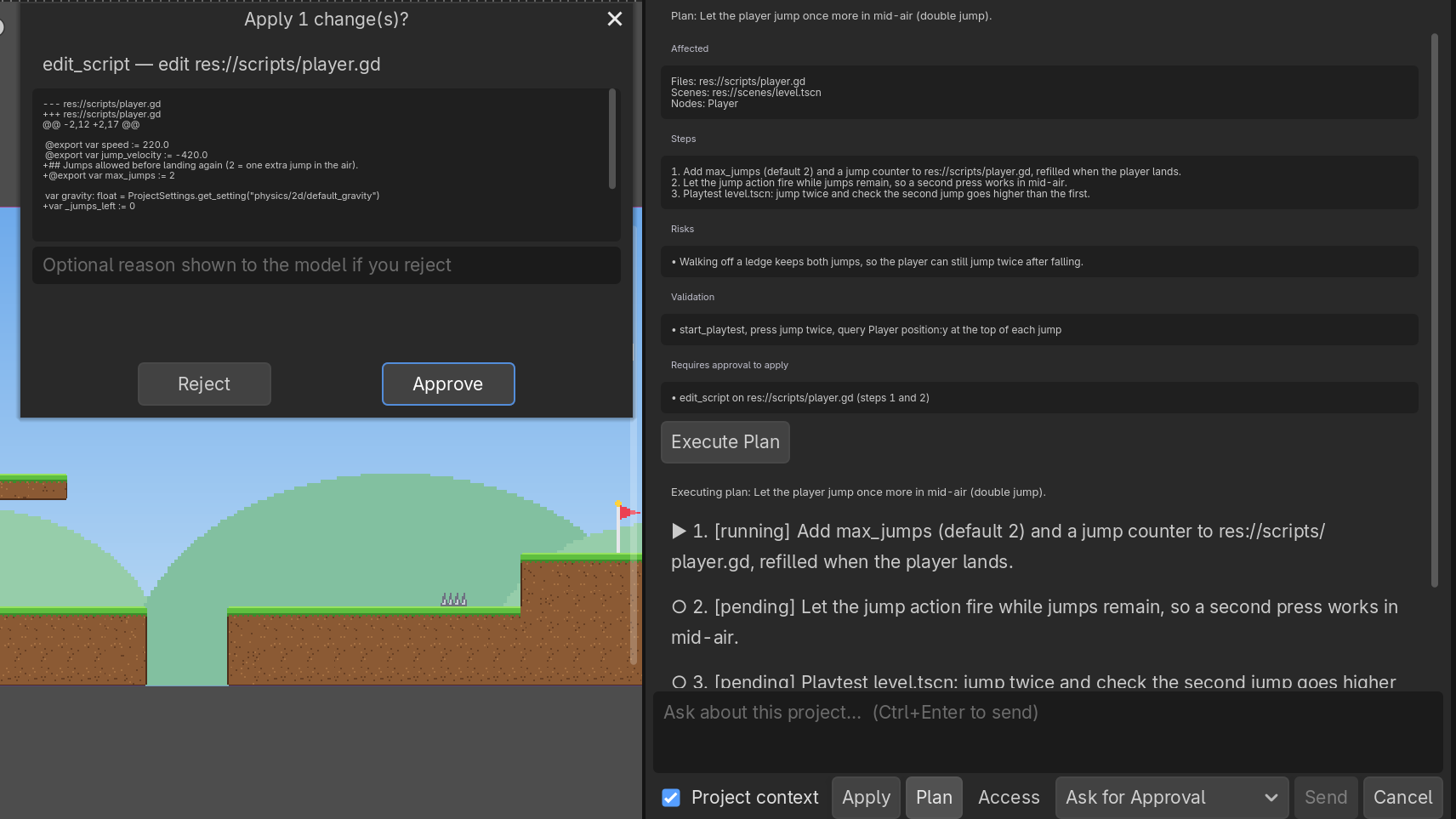
Ask Claude Code, Codex, Gemini or the Godopilot panel for a change. It reads your scenes, scripts and errors first, then lays out the steps.
Approve
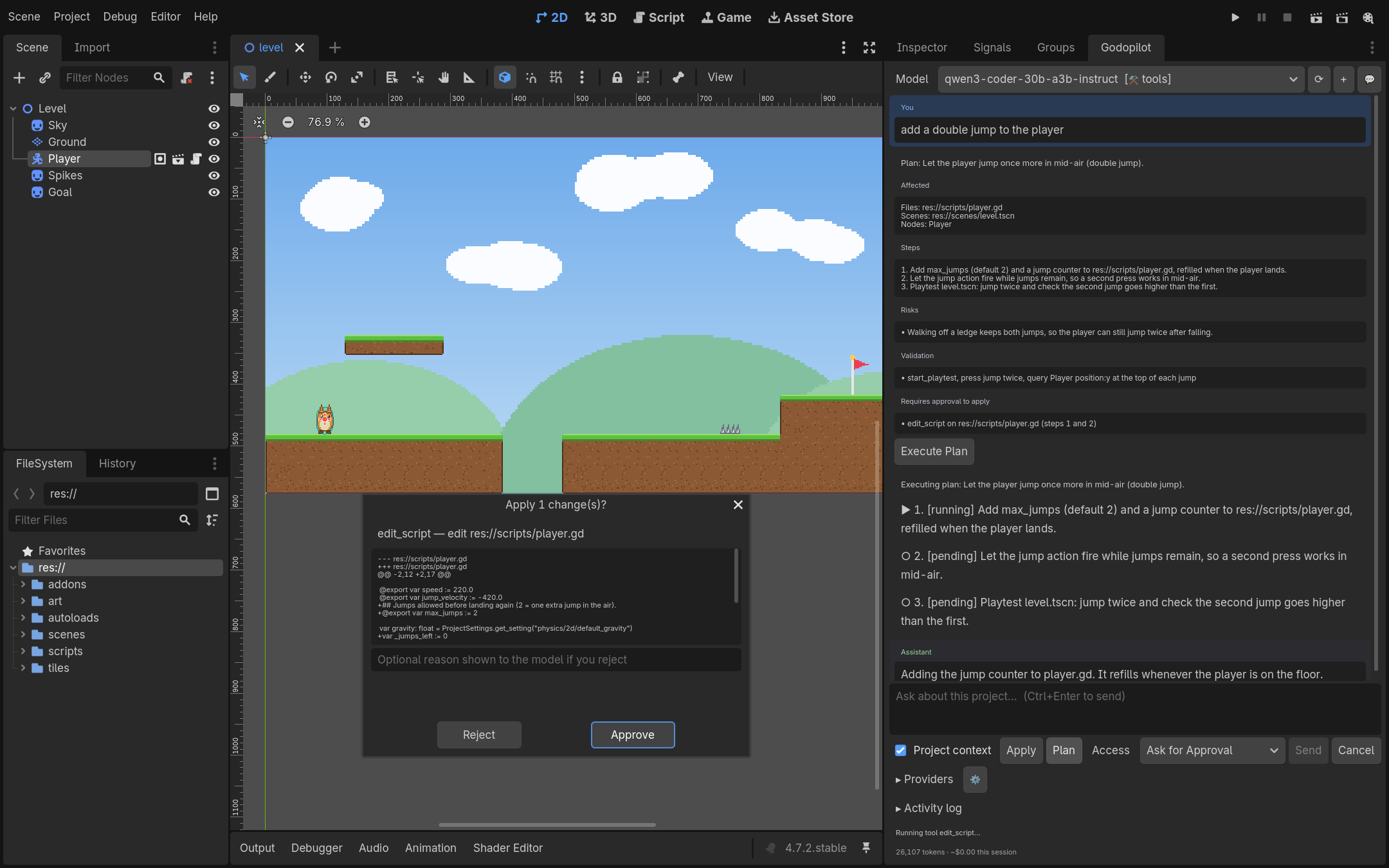
Every change waits in the editor, showing what it touches and how risky it is. Approve or reject.
Apply
Godopilot makes the changes as editor actions you can undo, checks the result, and tells you what happened.
Get started
From download to first change in a few minutes.
Download the installer
Pick your platform below. The installer fetches the latest Godopilot each time it runs.
Sign in
With your Steady account. The installer and the plugin remember it.
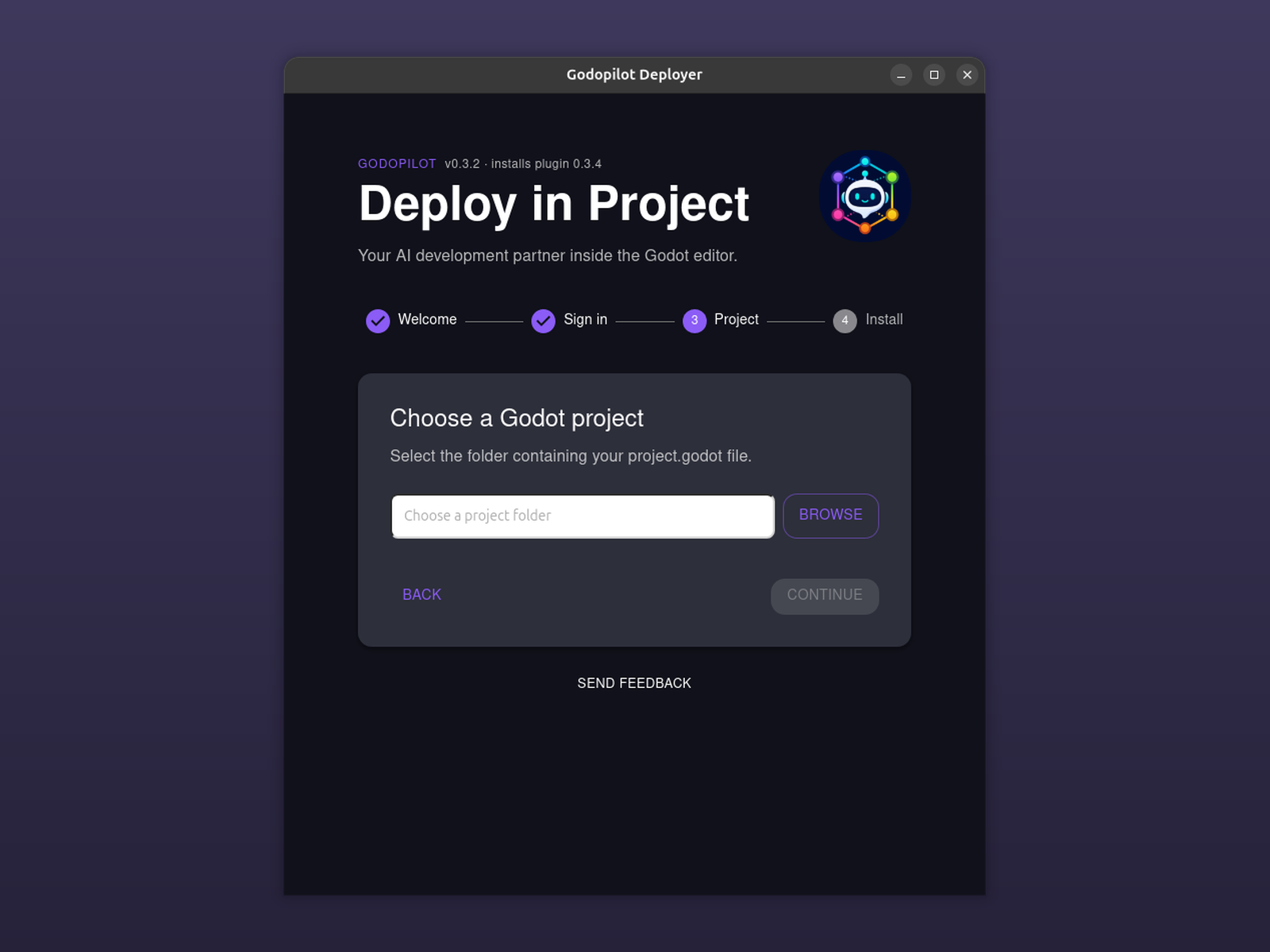
Choose your project
Pick a Godot 4.7.1+ project folder. The installer copies
addons/godopilot/in and doesn’t touchproject.godot.Enable the plugin
In Godot: Project → Project Settings → Plugins → Godopilot.
Connect your coding agent
In the Godopilot panel, open Providers → MCP server, tick Enable localhost server, then copy the Claude Code or Codex setup and run it in your project folder. Tick Start with this project to stay connected.
Ask for something
“Add a double jump to the player.” Your agent works through Godopilot’s tools, you approve each change in the editor, and keep building.
Downloads
Install Godopilot
The installer signs you in, finds your Godot project and copies the plugin in. Run it again any time to update.
Windows
Windows 10 and 11, x64
Unzip it and open Godopilot Deployer. This build isn’t notarised by Apple yet, so the first time macOS blocks it: open System Settings → Privacy & Security and choose Open Anyway.
Download for WindowsmacOS
Apple silicon
Unzip it and open Godopilot Deployer. This build isn’t notarised by Apple yet, so the first time macOS blocks it: open System Settings → Privacy & Security and choose Open Anyway.
Download for macOSLinux
x64
Unzip it and open Godopilot Deployer. This build isn’t notarised by Apple yet, so the first time macOS blocks it: open System Settings → Privacy & Security and choose Open Anyway.
Download for Linux
Early access
Help shape what comes next.
Godopilot is in early access, but it has already been tested through thousands of hours of real game development. You may still hit the odd rough edge. Found a bug, want a feature, or have a question? It goes straight to the Godopilot team, and we reply by email.
Questions
Good to know
Which AI tools does it work with?
Claude Code and Codex, with a setup command you copy from the Godopilot panel, and Gemini CLI or any other MCP client that can connect to a local HTTP server with a token. The built-in chat panel works with a local model such as LM Studio, or your own OpenAI or Anthropic key.
Which Godot versions are supported?
Godot 4.7.1 and newer. Both GDScript and C# (.NET editor) projects work.
Does my code leave my machine?
Godopilot’s MCP server only listens on your own computer and needs a token for each project; what your coding agent sends to its model is up to that tool. In the built-in panel, a local model keeps everything on your machine, and local-only mode blocks hosted providers and external asset generation entirely.
Do I need an account?
Yes, a Steady account, used to install and to send feedback.
How do I update?
Run the installer again and pick the same project. It sees the installed version and updates it in place.
Do I need to credit Godopilot in my game?
Yes. A game or product you publish or distribute with Godopilot’s help must show “Accelerated by Godopilot from Steady Circuit” on a splash screen when it starts. Private prototypes and internal builds don’t need it. The terms of use have the details.
Is it finished?
Godopilot is in early access, but it isn’t untested: it has been used for thousands of hours of real game development. Expect the odd rough edge all the same, and tell us what breaks and what you’d like next: every report goes straight to the team.